Pricing Info
Need to Upgrade from FastARTIST?
Click Here for More Info
Click Here to Order an Upgrade Online
Complete vector and raster editing and design software
Windows XP, Vista, and Windows 7 Compatible! Our software development has come a long way with the Version 2.0 release. With several updated and added features as well as all-new tools, EZ Artist will make printing to your Veloci-Jet XL or Fast T-Jet direct-to-garment printer easier and more enjoyable than ever before. Some of the new features include: Photoshop plug-ins for completing special Bitmap transformations, PDF Color Proofing, a new and improved Vectorization Wizard, the amazing Fluid Mask and Super Size filters, the Job Costing Feature and much, much more. EZ Artist and EZ RIP are compatible with Windows XP, Vista and Windows 7.
New Prepare to Vectorize Wizard:
Along with the previous vectorization tools, EZ Artist introduces new vectorization tools for improving the image quality, knocking out the image background, and posterizing the image colors prior to tracing. This is very helpful when you have a logo or vector looking Bitmap image that you want to be sharp and clean.
Super Size Image EZ Artist Plug-In:
Super Size Image is a new tool added to EZ Artist that allows you to enlarge smaller artwork to normal print size and resolution, easily and effectively. There are many clients who will provide you with a tiny JPEG or web graphic and expect you to print high-quality with the image. Although the image may look crisp on screen, when enlarged from 72 dpi to 200 - 300 dpi, the image will print very fuzzy.
This powerful tool does everything for you. It's AMAZING!
Printer proof ON/OFF
- Easily switch on and off color proofing to see original image and how it will print.
- For users without Photoshop
Easily Cut out Background with 2 New Features
Fluid Mask EZ Artist Plug-In:
Fluid Mask is an advanced program for cutting out areas of an image and by integrating this into EZ Artist it creates an automated work flow for editing images to be printed onto colored shirts. It will save you hours of work. Partial transparency is also used on complex edges to blend these into the shirt and can also be used as a means of advanced trapping.
With Fluid Mask, you no longer need the Underbase Wizard. While this feature is still available, it's more for backwards compatibility and you will find that Fluid Mask gives you more control and better results. With Fluid Mask you only need one copy of the image (not the black and white masks), PLUS Fluid Mask will create the transparent areas for you automatically.
Photoshop Knock-Out Background Plug-Ins:
When printing onto either black or color shirts, it is often the case that a white underbase needs to be applied in order to prevent the shirt color from showing through and interfering with the printed design. Much like the new Fluid Mask for EZ Artist, our Knock-Out tools work EXCELLENT for knocking out backgrounds.
KnockMeBlackOut - This plug-in is optimized for creating an underbase for either black or near-black colors. If you have an image that already has a black background, and you want to print onto a black shirt, then this plug-in provides a one-hit sequence for preparing the image.
KnockMeColorOut - This plug-in can be used to remove any color (including white). For example, if printing to a red shirt with an image that has a red background, this plug-in can remove a specific percentage of that red from the image as a one-hit preparation. Though this filter can also be used for removing black, it is recommended that you use the KnockMeBlackOut filter instead.
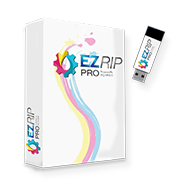
EZRIP 10 – Features
Multiple Queues
- Setup a queue for white shirts and another for black shirts
- Or a queue for Sleeves
- Each queue can be accessed directly from EZ ARTIST or from any application
Costing Interface and Ink Calculation
- Find out how much a garment will cost to print, even before you print it
- Exact Ink usage calculation
- Garment cost, Taxes and Labor cost can all be accounted for
- Exported to use in Excel and other database programs
- Generate an underbase directly in EZ RIP
- No longer need to use EZ ARTIST
- Adobe PhotoShop, Corel Draw, or Adobe Illustrator users can work without EZ Artist
- Full support for trapping and highlight white
- Allows you to create and position print areas
- Use to create and setup your own shirt boards
- Can be used for 3 UP (Blazer Pro), no longer requires 3 shirts to be laid out in EZ Artist.
- Will automatically layout the jobs in EZ RIP
- Use for copies for Golf balls
- Can even be used for a pocket and a cap at the same time
- Hot folder support for batch processing
- Easily process hundreds of jobs
EZ Rip Screen Shots


Sales, Parts and Technical Info
Fair Lawn, New Jersey 07410, USA
Phone: 1-800-408-0040 or (01) 201-797-1504
Fax: (01) 201-797-1505
E-mail: Sales@EquipmentZone.com